 Subtronics LLC
DIY Tutorial
How to Upgrade RAM in a Desktop PC
Adding more memory is one of the easiest upgrades you can do on a desktop. It can improve multitasking, reduce slowdowns, and help older systems feel more responsive.
Subtronics LLC can handle upgrades, troubleshooting, setup, and repair for customers in Flushing, Flint, and nearby Genesee County areas.
Watch the tutorial
This video shows the physical install process clearly for a standard desktop layout.
Basic steps
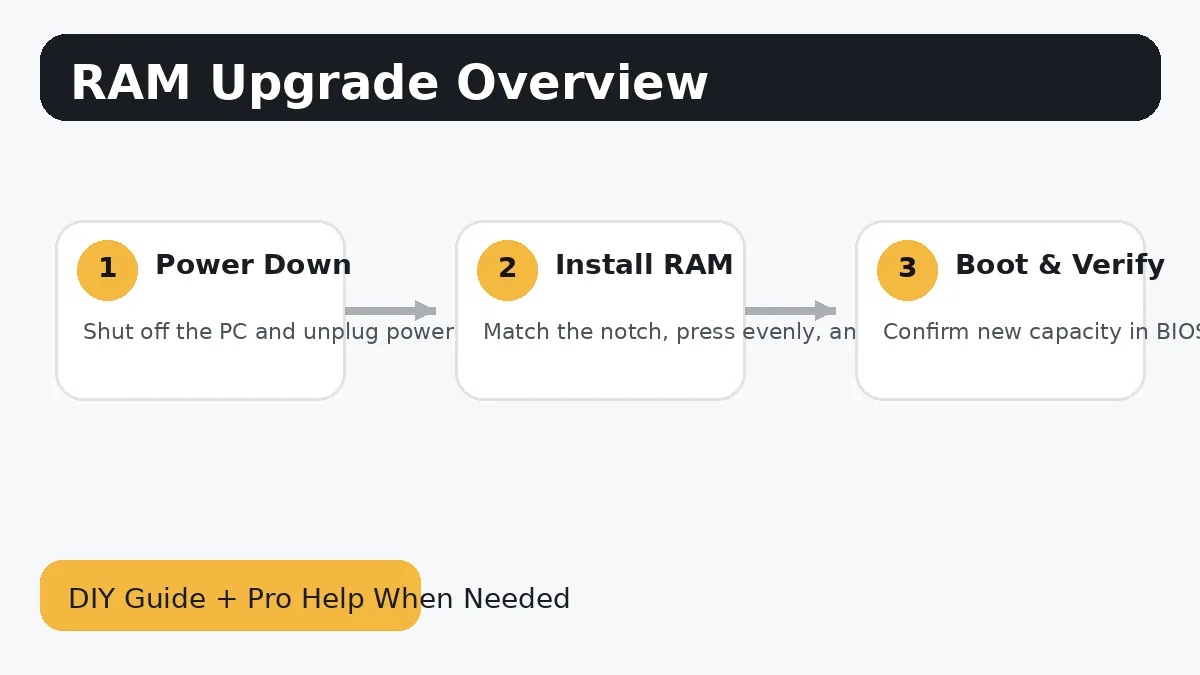
- Check your motherboard or PC model to confirm the correct RAM type, speed, and supported capacity.
- Shut the PC down completely, switch off the power supply, and unplug the power cable.
- Press the power button once after unplugging to discharge leftover power.
- Open the side panel and locate the memory slots next to the CPU cooler.
- Open the retaining clips, line up the notch in the RAM stick, and press firmly until both clips lock.
- Boot the system and verify the new memory is detected in BIOS or Windows Task Manager.
Common mistakes to avoid
- Mixing incompatible RAM kits can cause instability or reduced speed.
- If the system does not boot after installation, reseat the RAM and try one stick at a time.
- If XMP or EXPO is enabled and the system becomes unstable, try default settings first.
When DIY stops being worth it
There is nothing wrong with doing the safe part yourself and then handing the rest off once the job becomes stressful, time-consuming, or risky. That is especially true when the computer has important files, expensive parts, or symptoms that do not match a simple upgrade.
Subtronics LLC offers local diagnostics, upgrades, custom PC help, and remote support. If you want ongoing help after the repair, ask about Subtronics TechCare.
More helpful pages
Why Is My Computer So Slow?
Work through common causes before spending money on parts you may not need.
Why Is My Computer Overheating?
Heat, dust, bad airflow, and failing fans can all drag performance down.
Custom PC Builds
Want a whole new desktop instead of patching the old one together? We build from the ground up.